Material Testing Software
Product Code: MTS-1
KT-FALCON MATERIAL TEST PROGRAM
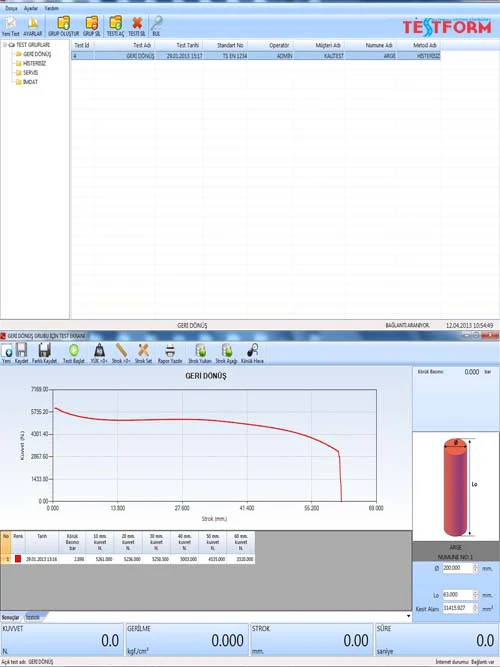
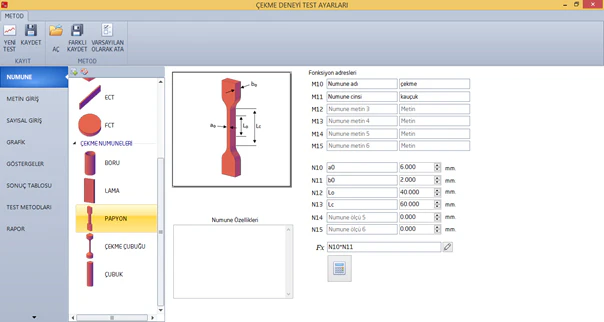
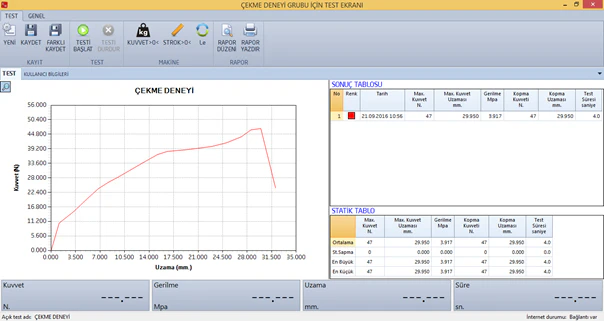
The KT-FALCON material test program offers all the features you need to quickly and efficiently perform standard tensile, compression, bending, peel, tear, friction, and simple cycle test requirements. It performs functions that the user would otherwise need to calculate, such as simultaneous testing capabilities, sample identification, and cross-sectional area calculations. The test method can be determined or added by the user. The device is directed by the program. Test reports can be sent to Excel or saved in image format. Tests can be recorded in desired groups to make them easier to find.
- Compatibility with Win7, Win8, and Win10 operating systems.
- Calculations for the average and standard deviation of 20 samples.
- Simultaneous value reading and graph plotting during testing.
- Ability to back up the database.
- All force and stress units are selectable.
- Sample identification by the user.
- Test method creation by the user.
- Test results table can be edited by the user.
MENU
Through the interface that enables the user to conduct experiments the fastest, many options are available in the menu, such as creating test conditions, accessing previous experiments, and general settings. A pre-defined method can also start an experiment with just 3 button presses.
FILTER
All your recorded experiments are listed in a table, and you can reach the desired result through filtering methods on this table. You can search by date or by any search keyword.
BACKUP
Just as it's important for the user to conduct experiments correctly, storing past experiments is also crucial. Therefore, with the backup feature in the program, you can back up your archive either manually or automatically, and in case of any malfunction, you can continue your experiments from where you left off from the last backup date.
EXPERIMENT LIST
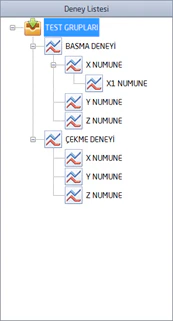
Regardless of your product variety, the program allows different experiments to be conducted by creating groups that contain all conditions for each sample. This way, the operator only needs to select the correct group, connect the sample to the device, and start the experiment. New groups can be created or existing groups can be deleted with password protection.
NEW TEST
On the test screen, 20 consecutive sample experiments can be conducted to obtain averages and other results. The desired experiment result can be deleted. An old experiment result can be opened, worked upon, and differences between samples can be observed and a different record can be created. Each sample is distinguished by its own color for easy identification. The experiment results table can display desired results as defined by the operator and can be written in the desired language.
REPORT
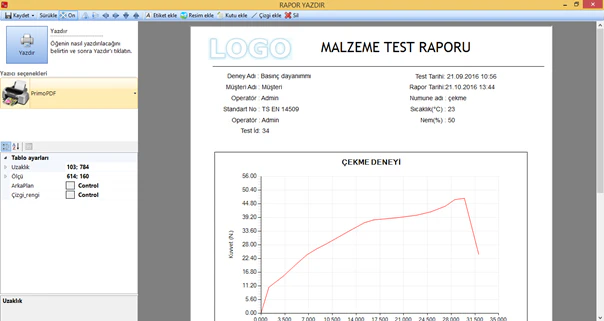
At the end of the experiment, a report can be printed directly, or if desired, the report editing tool can be opened to add options like images, text, or lists to the report. Company information such as the company logo is displayed in the report. The output can be obtained from a printer, in image format, or as a PDF file. All images and text can be moved to any desired location in the report by the user.
Related Products
Aging Booth
EB 04-II-1
Plastic film and sheet impact tester - Dart Drop Impact Tester
GBD-L-1
Charpy pendulum impact test certified test specimen
IfEP-1
Extruder Bodinoz Machine
Lab-Extrusion
Table Thickness Gauge
TTG-1
Sample Cutter
CSC-1
Interlaminar Shear Strength - Short Beam Method - Plastic Composites - Fiber Reinforced Materials
PL007